WingAI: Your AI Wingman
- 4.8
- Rating
- 1.00M
- Installs
- Free
- Price

 Analysis by App-foxy
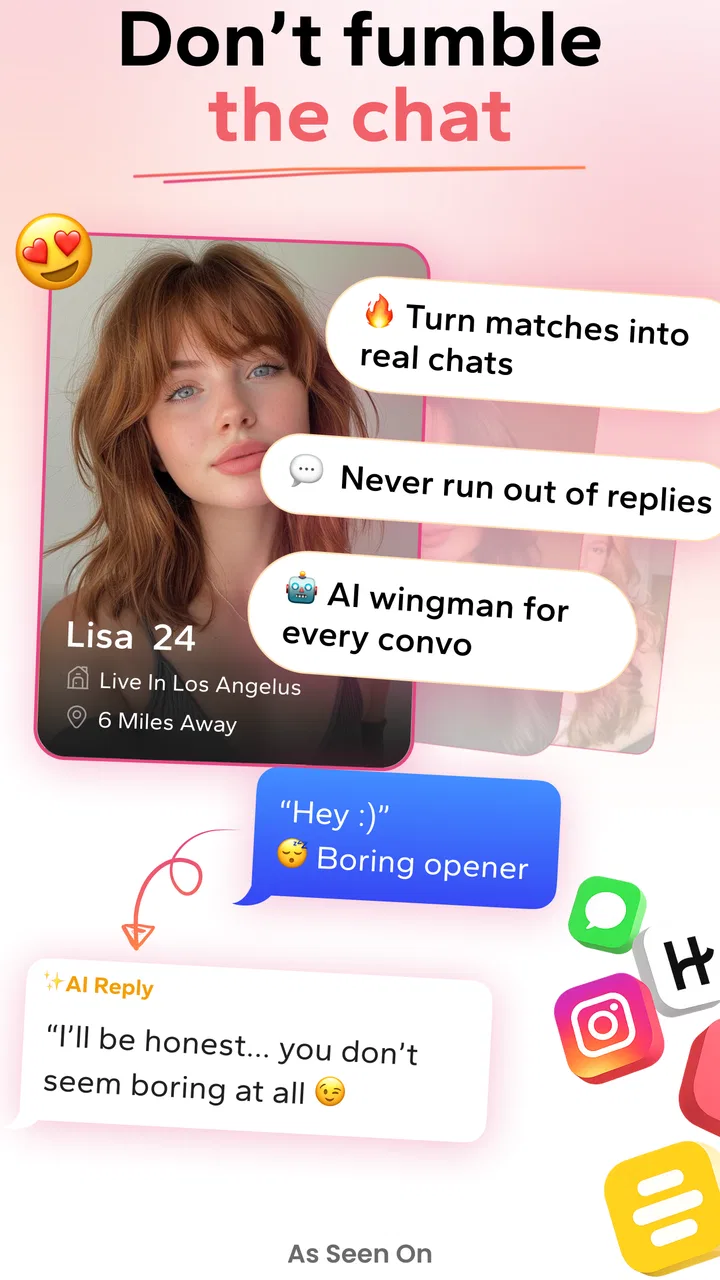
I tried WingAI: Your AI Wingman as a practical dating companion rather than treating it like another social network. Its focus is simple: help me think through conversations, improve a dating profile, and find a more natural way to reply when I am stuck. That makes it different from a conventional dating app, because the main interaction is with an AI assistant instead of a stream of potential matches.
In everyday use, I found the idea most useful at the awkward moments people usually handle alone. A message arrives, I want to answer warmly without sounding too eager, or I have a profile prompt that feels flat. WingAI gives me a place to work through those choices before sending anything. It is free to install, aimed at a Teen audience, and developed by Ignition Dating LLC. The app sits in the lifestyle category, although its real purpose is much narrower: helping users navigate the wording and confidence problems that come with modern dating.
How WingAI fits into a shared household
A realistic household scenario is not several people using one dating identity together. It is one adult using the app privately on a phone that may also be handled by a partner, child, or another family member. That distinction matters. Dating conversations are personal, and an AI assistant can be asked to review messages that contain names, plans, or sensitive details. I would treat WingAI as an individual tool, not as a family utility.
You May Also Like

 Blood Strike: 2.5 Anniversary
Blood Strike’s Loadouts Turn Every Drop Into a Tactical Gamble
A close look at Blood Strike’s custom loadouts: how fast access to signature weapons reshapes its battle royale rhythm, rewards preparation, and narrows the gap between fights.

 Pandora - Music & Podcasts
Pandora’s Music Is Easy to Start, but Harder to Recover
Pandora’s strength is its low-effort path from a seed to a station. Its weak spot is how much confidence it asks you to place in connection, setup, and quiet recovery.

 8 Ball Pool
 Is Built on Rivalries, Rematches, and Routine
A close look at the rivalries, rematches, shared routines, and unanswered safety questions that turn a quick pool match into a persistent mobile community.

 Samsung Music
’s Quiet Strength Is Playing What You Already Own
Its reach comes less from spectacle than from dependable access to a personal library. That simplicity is both the app’s strongest retention engine and its ceiling.

 AccuWeather: Weather Radar
AccuWeather Review: A Quick, Clear Forecast for Everyday Decisions
For everyday plans, the best forecast is the one you can understand quickly. AccuWeather makes rain timing, radar, and local conditions easy to act on, with a few trade-offs.

 Hill Climb Racing
Why Hill Climb Racing Still Turns Crashes Into One More Run
A tiny car, a bumpy hill and one more upgrade: Hill Climb Racing keeps resurfacing because its simple chaos makes every near-miss feel personal.
More From Our News Desk



If I were using a shared device, I would open it when I had enough privacy to think clearly, then close it rather than leaving conversation drafts visible. The app is not a replacement for a private notes system, and I would avoid pasting unnecessary personal information from another person. A useful habit is to remove names, workplaces, addresses, and identifying details before asking for help. The assistant can usually work from the situation and tone without needing a complete transcript.
This shared-device angle also changes how I judge convenience. A dating assistant is valuable when it reduces hesitation, but it can create friction if I have to explain every screen to someone else or worry about unfinished drafts being seen. Users who have their own phone and account will probably get the smoothest experience. In a household where devices move between people, I would use shorter prompts, clear the text I no longer need, and avoid treating the app as a permanent archive of dating conversations.
One non-obvious benefit is that this approach can separate emotional reaction from the final message. Instead of immediately sending a defensive reply after a disappointing date, I can describe what happened and ask for several calmer ways to respond. I still make the decision, but the pause helps. That is more valuable than simply asking for a clever opening line.
What the first setup should establish
The first useful boundary is deciding what I want from the assistant. WingAI works best when I give it a specific job: make this reply friendlier, shorten this message, suggest a follow-up question, or point out where my profile sounds too generic. A vague request such as “make me attractive” invites advice that may feel polished but not personal. Clear instructions produce more usable suggestions.
I would also set a voice boundary before relying on its wording. If I normally write briefly, I would ask for a concise answer. If humor is not natural for me, I would say so. This matters because an AI-generated message can sound smoother than the person sending it. The strongest workflow is to use the result as a draft, then rewrite at least one sentence in my own words. The goal is confidence without handing over my personality.
There is another boundary that is especially important on a shared device: keep dating assistance separate from household coordination. I would not use the same conversation to plan a family appointment, discuss a partner’s private information, and prepare a dating reply. Separate tasks make it easier to avoid accidental disclosure and easier to judge whether the advice is relevant. WingAI is designed around dating support, so keeping its use focused also improves the quality of the prompts.
Users should expect a tool for language and perspective, not a guarantee that a message will receive a response. If I ask it to rewrite a weak introduction, it can help me make the wording clearer, but it cannot know whether the other person is interested, available, or compatible. That limitation is easy to forget when the suggestions sound confident. I found it better to judge each recommendation against the actual context rather than assuming the most polished option is the best one.
Coordinating drafts without losing the human part
WingAI becomes more useful when I use it as a small editing loop. First, I write what I genuinely want to say. Next, I ask for a version that is clearer or less intense. Finally, I compare both and keep only the parts that still sound like me. This three-step process is better than asking the assistant to invent an entire personality, because it preserves the details that make a conversation feel real.
For example, imagine I have exchanged messages with someone about a local exhibition. I might type a rough reply explaining that I enjoyed the conversation but do not want to rush into making plans. I can ask for a warm, direct version and a more casual version. Then I choose based on my real comfort level. The app helps with tone, while I remain responsible for the invitation, the timing, and the boundaries.
A second practical use is preparing follow-up questions. Instead of sending a string of generic questions, I can ask the assistant to turn one detail from the other person’s message into a natural continuation. I would still check that the question is genuinely something I want to know. This prevents the common problem of a conversation becoming an interview simply because an assistant keeps producing prompts.
A third use is profile editing. I would paste one section at a time and ask what sounds vague, overly negative, or too much like a list. The useful insight is not always the rewritten text; sometimes it is the explanation that a sentence gives no opening for another person to respond. I can then add a concrete interest or a small detail in my own voice. That is a more sustainable improvement than copying a complete AI-written profile.
There is a trade-off here. The more I ask for multiple versions, the more tempting it becomes to optimize every message. Dating does not improve endlessly through editing. If I spend ten minutes polishing a two-line reply, the assistant has stopped saving time. I would use it for moments involving uncertainty, tone, or a difficult boundary, and handle ordinary messages myself.
Age, trust, and personal responsibility
The Teen content rating means families should not assume that every user has the judgment of an adult. Dating advice can involve emotional pressure, meeting strangers, requests for private images, and decisions about moving a conversation offline. WingAI may help with wording, but it should not be treated as a safety authority or as a substitute for a trusted adult’s guidance when a younger user feels pressured or confused.
I would be particularly careful about prompts involving another person’s private messages. Even when the intention is harmless, copying a full conversation into an AI tool can expose more information than necessary. A better approach is to summarize the situation and remove identifying details. This is not just a technical concern; it also encourages me to think about the other person’s privacy before asking for help.
Trust should apply to the suggestions as well. A confident answer can still be tactless, manipulative, or simply wrong for the situation. I would reject advice that encourages pretending to share interests, creating jealousy, pushing for a reply, or ignoring a clear no. The assistant can offer wording, but it cannot take responsibility for the effect of that wording. That responsibility remains with the user.
For adults, the same principle applies in a different way. WingAI can be a useful confidence aid after a difficult breakup, a long period away from dating, or a change in how someone wants to present themselves. But if I were using it to seek reassurance after every message, I would step back. Constant checking can increase anxiety instead of reducing it. The app is most helpful when it supports a decision I have already considered, not when it becomes the decision-maker.
How it compares with ordinary dating tools
Traditional dating apps are built around discovery, matching, profiles, and direct messaging. WingAI approaches the problem from the side. It does not replace the place where I meet people; it helps me handle the communication around that experience. For someone who already knows how to write messages but needs more matches, a normal dating platform is the more relevant choice. For someone who freezes when writing a profile or responding to a match, an AI wingman may provide more immediate value.
It also differs from a general chatbot because the dating context narrows the kind of help I am seeking. I do not need to explain every time that I want a message to sound interested but not intense, or that a profile should invite conversation rather than read like a résumé. That specialization can make the interaction quicker. The downside is that a dating-focused suggestion may still feel formulaic if I use it without adding personal details.
Compared with asking a friend for advice, WingAI is available at the exact moment I need it and does not make me feel embarrassed about a small wording problem. A friend, however, knows my personality and can challenge me when I am overthinking. I would use the app for drafting and a trusted friend for a major decision, an uncomfortable interaction, or a question about whether someone’s behavior feels safe.
The app is free to download, but optional in-app purchases range from under a dollar to just under one hundred and twenty dollars per item. That wide range makes it sensible to begin with the free experience and decide whether the assistance genuinely changes my behavior before spending money. I would not pay simply because a suggestion sounds more polished. The value should come from saving time, improving clarity, or helping me communicate a boundary.
Performance, reach, and day-to-day expectations
WingAI has reached over a million installs and carries an average rating of 4.8 from around eighty-nine thousand ratings, which suggests that its basic concept resonates with many users. Those figures do not tell me whether every answer is excellent, but they do indicate that the app has found a substantial audience. I would still judge it by the quality of its suggestions in my own situations, particularly when the context is complicated or emotionally sensitive.
The app was released in September 2023 and is currently at version 2.1.11. It supports devices running Android 7.0 or later, so many older Android phones can use it. That broad compatibility is helpful for households where not everyone has a recent device. On the other hand, an older phone may be shared more often or have less comfortable typing, which makes the privacy habits around drafts and screen visibility even more important.
Because the store summary presents it as an AI dating assistant with rizz, I would interpret the playful tone carefully. “Rizz” can mean charm, but charm is not the same as pressure or performance. The best outcome is not a message that sounds like a professional flirt; it is a message that makes the user clearer, kinder, and more honest. If the app pushes me toward lines I would never say aloud, I would treat that as a sign to edit more aggressively or skip the suggestion.
One limitation I noticed with this type of tool is context loss. A short prompt may omit the detail that changes everything: whether the other person already declined, whether this is a first message, or whether I have sent several unanswered follow-ups. I would include the relevant boundary in my request, such as “they have not replied for a week” or “I want to accept the no politely.” More context improves the draft, but I would still keep personal details minimal.
Who should use it and who should skip it
I would recommend WingAI to someone who has a clear intention but struggles with wording. It is especially suitable for profile editing, softening an overly blunt message, turning a long explanation into something readable, and finding a respectful way to express interest. It can also help people returning to dating after a long break, when the mechanics of online conversation feel unfamiliar.
I would be more cautious about recommending it to someone who wants the app to generate every message. That approach may produce quick replies, but it can make conversations feel interchangeable and leave the user unsure how to continue when the other person responds unexpectedly. It is also a poor fit for anyone looking for a dating network itself, because the assistant does not solve the separate problem of finding compatible people.
Users who dislike AI-written language, who have strong privacy concerns about pasting conversations into an assistant, or who already have a trusted friend and a reliable writing style may gain little from it. In those cases, a private draft, a friend’s perspective, or the built-in tools of a conventional dating service could be better. The app is not automatically an upgrade; it is a targeted aid for a specific kind of friction.
For a younger user, I would only consider it alongside clear conversations about privacy, consent, meeting safely, and recognizing pressure. The Teen rating does not turn the app into a supervised dating environment. Families should not assume that a shared phone creates shared oversight, and users should not assume that an AI response has checked the safety of the person on the other side.
My household verdict
After using WingAI, I see it as a useful private coach for communication rather than a magic source of charm. Its strongest role is helping me pause, clarify what I mean, and choose a tone that matches the situation. The most effective workflow is to provide a short, anonymized context, request a specific adjustment, and then rewrite the result until it sounds like something I would actually say.
Its household fit depends less on technical ability than on boundaries. On a personal device, it can be an easy place to work through dating nerves. On a shared device, I would keep sessions discreet, avoid unnecessary personal information, and never treat the app as a space for multiple people to coordinate one dating identity. Those habits make the tool more respectful and reduce the chance of an awkward privacy mistake.
My final view is positive but measured. The free entry point makes it easy to test, the broad Android support is practical, and the large user base shows that the concept has real appeal. The optional purchases deserve restraint, and no AI can replace judgment, consent, or genuine conversation. If I wanted help with a difficult message or a profile that does not sound like me, I would try it. If I wanted matches, relationship counseling, or a substitute for human advice, I would choose a different kind of service.
FAQs for WingAI: Your AI Wingman
01What is WingAI: Your AI Wingman, and what can it do?
WingAI: Your AI Wingman is an artificial intelligence assistant designed to help users with communication, conversation ideas, and social interactions. Depending on the available tools and your chosen prompts, it may suggest replies, help start conversations, improve wording, or provide advice for dating and everyday messaging. It is best viewed as a writing and brainstorming companion rather than a replacement for genuine communication or personal judgment.
02Is WingAI: Your AI Wingman free to download and use?
The app may be available to download at no initial cost, but some features can require a subscription, in-app purchase, or usage credits. Before starting a trial, carefully check the pricing page, billing frequency, renewal conditions, and cancellation policy shown in the App Store or Google Play. Availability of specific tools and limits may also vary depending on your region, device, and current version of the application.
03Does WingAI write messages automatically or send them for me?
WingAI generally works as an assistant that generates suggestions, conversation starters, or rewritten messages based on the information you provide. You should review every response before copying or sending it, because artificial intelligence can misunderstand context, tone, humor, or relationship boundaries. Unless the app clearly requests permission and supports a particular integration, it should not be assumed that messages are sent automatically or managed without your approval.
04Is my personal information safe when using WingAI?
Because an AI communication app may process prompts, conversations, screenshots, profile details, or other text you submit, privacy deserves careful attention. Avoid entering passwords, financial information, private identification documents, or sensitive details about another person. Read the app’s privacy policy to understand data collection, storage, third-party services, account deletion, and whether submitted content may be used to improve the service. Permissions should be granted only when they are necessary.
05Can WingAI guarantee better dating or conversation results?
No AI assistant can guarantee a successful date, a reply, or a stronger relationship. WingAI can provide useful ideas and help make a message clearer, but its suggestions may sometimes sound generic, overly confident, or unsuitable for your situation. The best results come from adapting its recommendations to your real personality and communicating honestly. Use the app as a helpful guide, while respecting consent, boundaries, and the other person’s responses.
Pros
- Offers quick AI-powered advice for messages and social situations.
- Can help users brainstorm replies when they feel stuck.
- Useful for practicing different tones before sending a message.
- Simple concept that is easy to understand and use.
- May boost confidence during awkward or unfamiliar conversations.
Cons
- AI suggestions can sound generic or unlike your natural personality.
- Advice may miss important context from ongoing conversations.
- Some useful features may require a subscription or in-app purchase.
- Sharing private chats with an AI service raises privacy concerns.
- Generated replies can occasionally be inappropriate or factually wrong.

WingAI: Your AI Wingman
Gallery